Remote monitoring & management for Windows · self-hosted
TechSight Remote Management — Your IT infrastructure. Your server. Your control.
Centralized IT management designed to reduce operational complexity. TechSight Remote Management brings device monitoring, consent-based remote support, Windows patching, software deployment, scripting, encrypted file backup and multi-tenant administration into one console that runs on your own infrastructure.
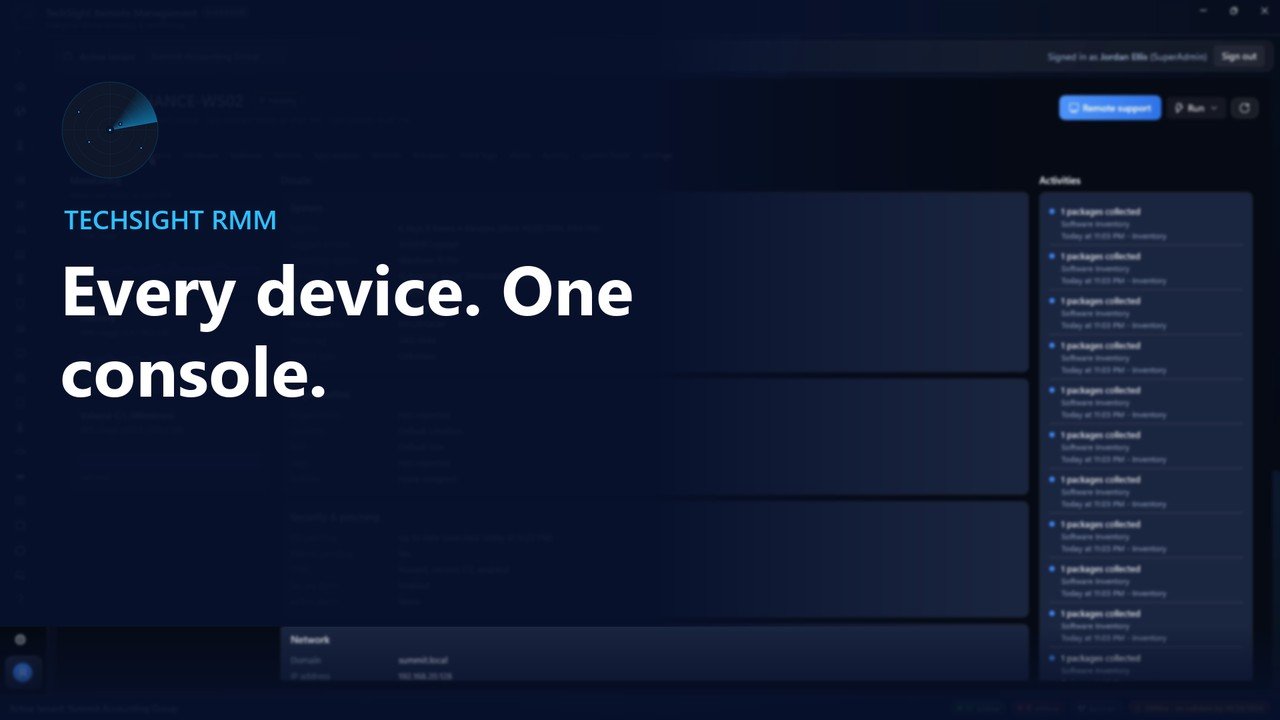
TechSight RMM 2.12 console. Sample company and device names; representative device data.
One console for the work your IT team does every day
Most IT teams juggle a monitoring tool, a remote-access tool, a patching tool and a spreadsheet of devices. TechSight Remote Management puts them in one Windows console backed by a TechSight agent on every managed device.
See the health of every device, act on alerts, help a user on their own screen with their permission, approve and schedule Windows updates, deploy verified software, run scripts with their real output, back up important folders with encryption, and keep each customer or department in its own tenant. Every sensitive action is recorded in an audit log.
TechSight is self-hosted: the server, the database and the data stay on infrastructure you control.
Designed for
IT departmentsManaged service providersMulti-site organizationsRegulated teams that keep data on-premises
Problems found by users, not by IT
Thresholds for CPU, memory, disks and services raise alerts the moment a device needs attention, and offline devices are flagged automatically.
Remote access without accountability
Every remote session needs a reason and the signed-in user's approval on their own screen. There is no unattended access.
Patching by hand, device by device
See missing Windows updates across the fleet, approve them once and install them in each device's maintenance window.
Customers mixed together
Each customer or department is a separate tenant with its own users, roles, devices and audit log, enforced by the server.
Why it matters
Stop letting routine IT problems consume your team's time.
Everyday device problems, updates and requests add up across locations, and every manual step costs technician time.
Problem
Too much on-site support for manageable issues
Technicians travel between sites to fix problems that could be handled remotely.
Why it matters
Technician hours spent travelling
Slower response for users
Higher support cost per device
How TechSight Remote Management helps
Consent-based remote support through your own MeshCentral server, plus remote services, processes, event logs and PowerShell from the console.
Handle more issues without a site visit.
Problem
Limited visibility of managed devices
Without a central view, IT finds out about failing disks, stopped services and offline devices from users.
Why it matters
Problems discovered late
No reliable inventory
How TechSight Remote Management helps
Every managed Windows device with health, status, hardware, installed software and performance history, with threshold alerts and offline detection.
See problems before users report them.
Problem
Repetitive administration
Patching, software installs and routine maintenance are repeated device by device.
Why it matters
Hours of repetitive work
Inconsistent configuration across devices
How TechSight Remote Management helps
Approve Windows updates once for the fleet and install them in maintenance windows, deploy verified software packages, and automate fixes with versioned scripts and remediation rules.
Do routine work once for the whole fleet.
Problem
Management data held by someone else
Some organizations need their management infrastructure and data under their own control.
Why it matters
Compliance and data-residency concerns
Dependence on a vendor cloud
How TechSight Remote Management helps
TechSight is self-hosted: the console, the API server and the SQLite or PostgreSQL database run on infrastructure you control, with no TechSight cloud service.
Your server, your database, your data.
Problem
Remote access without accountability
Remote access raises privacy and accountability concerns for users and auditors.
Why it matters
Users unaware of sessions
No record of who did what
How TechSight Remote Management helps
Every remote session needs a recorded reason and the signed-in user's approval on their own screen; the user sees a notice and can end it at any time, and sensitive actions are written to the audit log.
Remote support users can trust and auditors can verify.
Capacity depends on your server, network and database; our validation so far is lab-scale.
See TechSight at work
Five demonstrations recorded from the real application: a product overview, remote desktop with user consent, device management, alerts and policies, and installation with agent deployment. Choose a video; nothing downloads until you press play.
Overview2:30Windows
TechSight RMM overview
A two-minute tour of TechSight RMM 2.12: the device fleet, monitoring and alerts, consent-first remote support, Windows and third-party patching, scripts and automation, file backup, reports, ticketing and multi-tenant security. Edited from the feature recordings.
Screen recordings of the TechSight Remote Management 2.12.0 console and agent in an isolated lab, edited with on-screen captions and no audio. The installation and agent deployment video was recorded on the final 2.12.0 release; the other four on 2.12.0 release-candidate builds (rc6–rc7) with the same interface. Company, user and device names are fictitious. Device data is representative sample data, except the lab device FINANCE-WS01, where remote support and enrollment ran for real.
Remote desktop that respects the person at the keyboard
Help users on their own screen through your own MeshCentral server, with the user in control from the first click to the last.
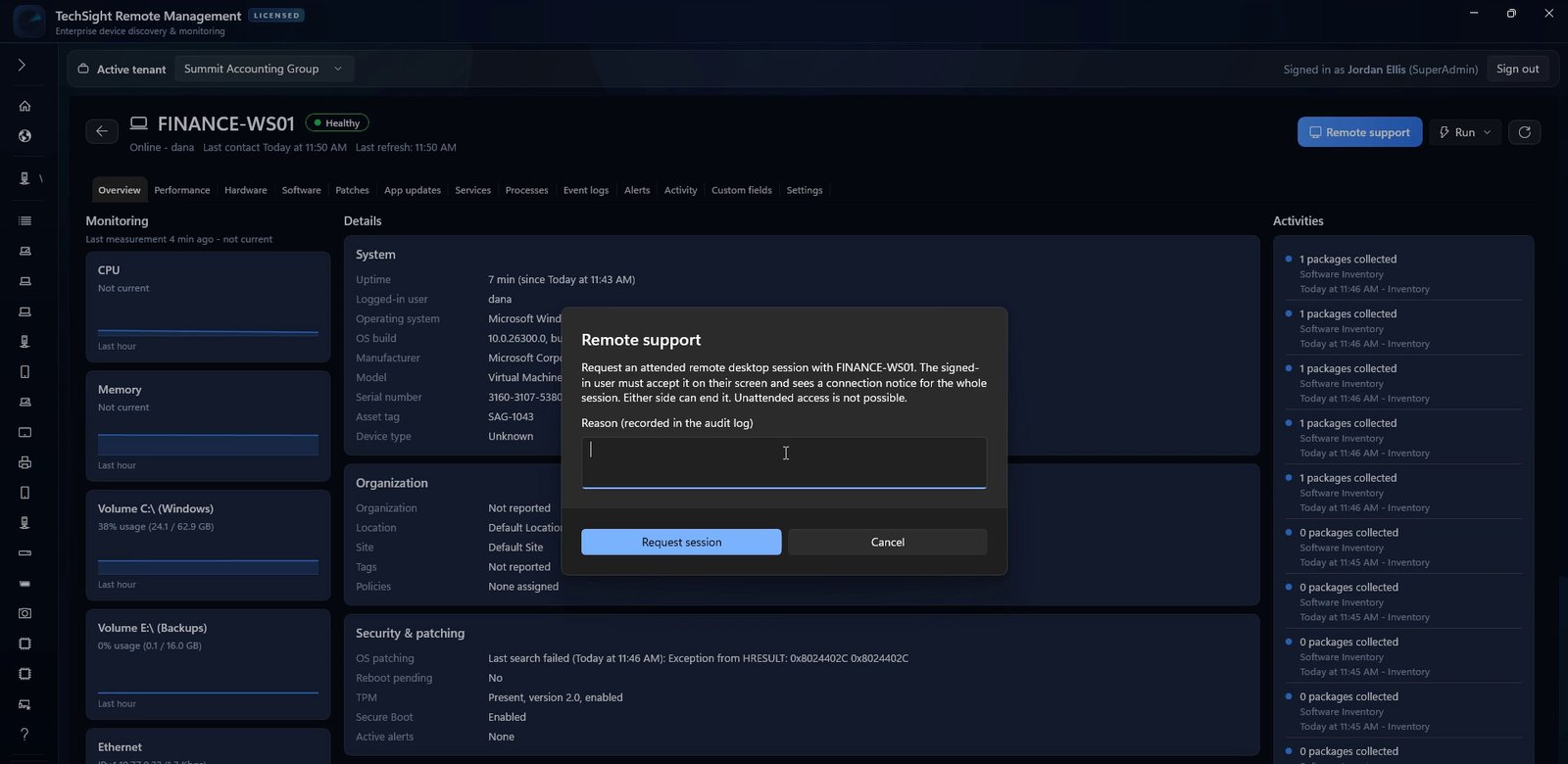
Choose the device and give a reason
A technician picks a managed device and states why the session is needed. The reason is written to the audit log before anything happens on the device.
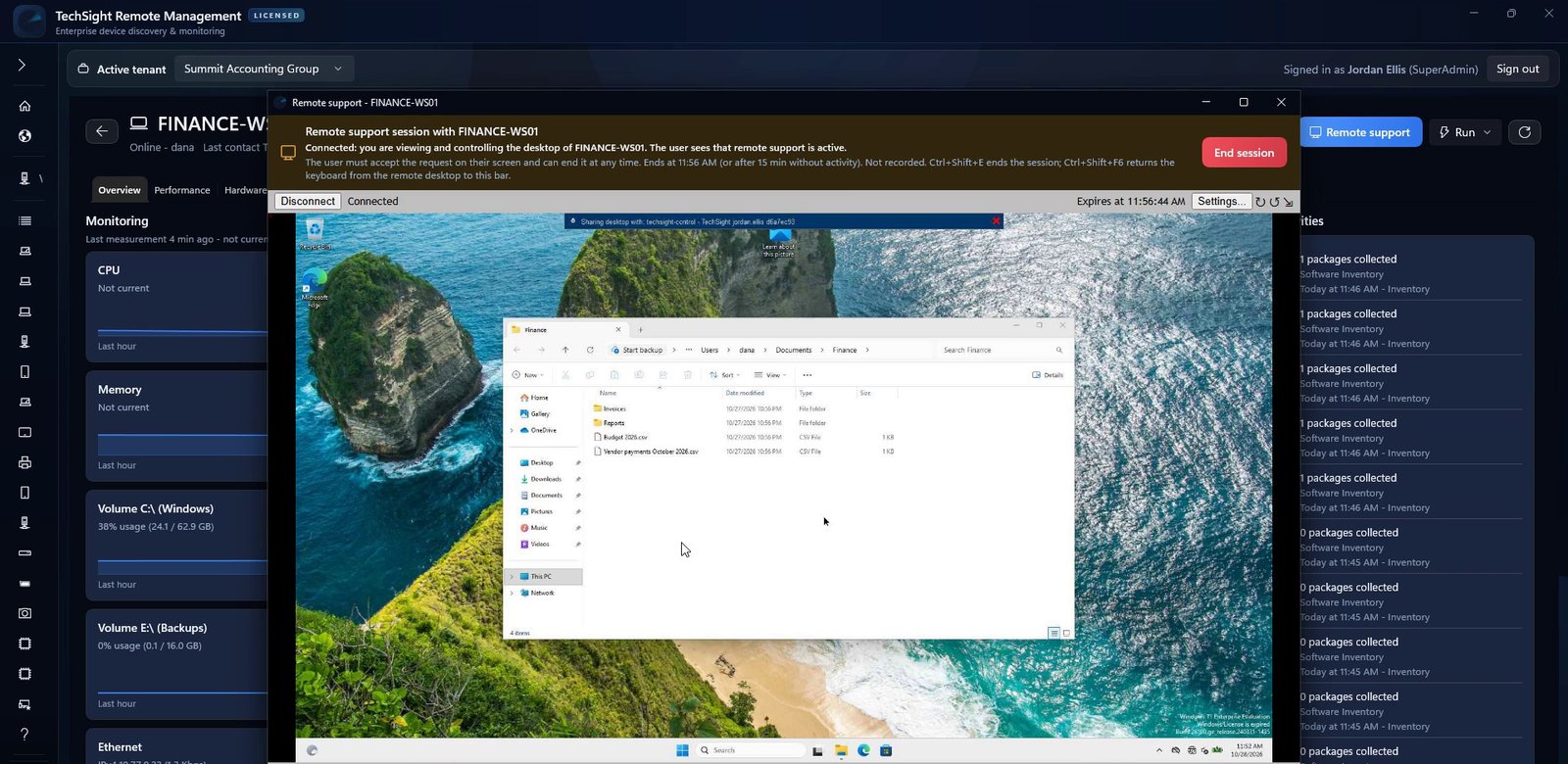
The user approves, sees the session and can end it
The signed-in user is asked on their own screen and must accept. A notice stays visible for the whole session and the user can end it at any time. There is no unattended access, and remote support stays off until you enable it.
Everything in TechSight RMM 2.12
Capabilities of the current release, each exercised in our validation lab except third-party app updates through Windows Package Manager, which needs internet access our isolated lab does not have.
Device inventory
Every managed Windows device with health, status, last user, hardware, installed software, TPM and Secure Boot state. Organize devices in manual or rule-based groups with custom fields, save views, export CSV and act on many devices at once.
Monitoring and thresholds
CPU, memory, disk, service and process data from each agent, with performance history. Threshold profiles apply to one device, an organization, a tag or the whole fleet.
Alerts and notifications
Alerts for thresholds, offline devices, stopped automatic services, failed patches, scripts and backups. Acknowledge, resolve, open a ticket, or notify by e-mail and webhook.
Consent-first remote support
Attended remote desktop through your own MeshCentral server. The technician gives a reason, the user approves on their screen, sees a notice throughout and can end the session at any time.
Windows patch management
Each device searches Windows Update itself. Approve or decline updates across the fleet, install now, at a set time or in each device's maintenance window, never restarting unless you allow it.
Third-party app updates
Application updates found through Windows Package Manager (winget) on each device, approved per package and installed within maintenance windows, then verified.
Software deployment
MSI, EXE and script packages from a path, share or HTTPS address, checked against their SHA-256 before they run. Deploy to devices or groups and follow the result on every device.
Scripts and remote PowerShell
A versioned script library with parameters, schedules, timeouts and real output and exit codes. Remote PowerShell is a confirmed, audited, Technician-only action.
Automation
Remediation rules triggered by alerts, offline devices or failed jobs run a script automatically, with scope, cooldown and a full run history.
Encrypted file backup
File and folder backups to local or network destinations with AES-256 encryption, per-file verification, retention and verified restore. No system images or cloud storage.
Services, processes and event logs
Start and stop services, end a hung process with a recorded reason and collect Windows event logs from a device on demand.
Reports
Sixteen report types, including device health and patch compliance, as PDF or CSV, on demand or on a schedule with retention.
Ticketing
Tickets with priority, owner, notes and history, linked to devices. Alert rules can open tickets automatically without duplicates.
Multi-tenant administration
Tenants, organizations and sites, with ReadOnly, User, Technician, Admin and SuperAdmin roles and multi-factor sign-in. Isolation is enforced by the server on every request.
Agent enrollment and upgrades
Silent MSI installation for Group Policy or deployment tools, single-use enrollment tokens over HTTPS with a pinned server certificate, and audited agent upgrade or removal from the console.
From download to managed devices
Installation takes minutes, and agents reach every Windows device through the tools you already use.
1. Install the console
One signed Windows installer for Windows 10 version 1809 or later and Windows 11 (x64). It installs the Microsoft Windows App Runtime the console needs and prepares it for every Windows user signed in on the computer.
2. Connect to your server
For a single site, the console hosts the TechSight API itself. For several technicians or sites, every console connects to a standalone TechSight API with PostgreSQL that you run.
3. Create the agent installer
Build Agent exports a Windows agent installer that carries an enrollment token with an expiry and an optional device limit. For Group Policy or deployment tools, the signed agent MSI installs silently with a token on the command line.
4. Devices enroll and appear
Each agent connects out to your server over HTTPS with a pinned server certificate, refuses plain HTTP and removes the token after enrolling. The device appears in the console with its hardware, software and health.
5. Keep agents current
Upgrade or remove agents from the console. An agent installs an upgrade only if it matches the expected SHA-256 and carries a valid signature from a trusted TechSight publisher, and every upgrade or removal is audited.
Inside the console
Frames from the product recordings. Select an image to view it full size; sample company and device names, representative device data.
How TechSight is deployed
Everything runs on infrastructure you control. Agents connect out to your server over HTTPS; no TechSight cloud service is involved.
Technician console
A Windows desktop application (Windows 10 version 1809 or later, Windows 11, x64). It can host the TechSight API itself for a single-site installation.
TechSight API server
For larger or multi-site installations, a standalone API runs as a Windows service or in a container, and every console connects to it. All management goes through the API, which enforces roles, tenant isolation and the audit log.
Database
SQLite for a single console, or PostgreSQL for a standalone server (validated with PostgreSQL 16). Your data stays in your database.
Windows agent
A self-contained Windows service for Windows 10/11 and Windows Server 2019 or later (x64), installed from an MSI that supports silent installation.
Remote support server (optional)
Remote desktop uses a MeshCentral server that you host. It is switched off by default and enabled only when you configure it.
Resilience
In our recovery tests, devices reconnected and queued jobs ran exactly once after API, database and server restarts, an endpoint restart and a network outage.
Security built into every workflow
Designed so that access is deliberate, visible and recorded. Security testing to date is internal; TechSight has not yet had an independent security audit and holds no certifications.
User consent for remote support
No session starts without the signed-in user's approval, and the user can end it at any time. Unattended access is not available by design.
Secure agent enrollment
Agents enroll with short-lived tokens over HTTPS, pin the server certificate, refuse plain HTTP and remove the token after enrollment. Agent credentials rotate.
Authentication and roles
Five roles from ReadOnly to SuperAdmin, multi-factor authentication and expiring sessions. Powerful actions such as remote PowerShell require the Technician role.
Tenant separation
Devices, alerts, tickets, scripts, packages and backups belong to one tenant. The API checks the tenant on every request, so one customer cannot see another's data.
Audit logging
Remote sessions, scripts, approvals, deployments, removals and configuration changes are recorded with the user, time and reason, and the audit log can be exported.
Verified software packages
A package runs only if its SHA-256 matches, and the agent runs its own protected copy, so a file swapped after verification is never executed.
Encrypted backups
Backups are encrypted with AES-256 and authenticated, with keys that never leave the device, and every file is verified after backup and restore.
Signed agent upgrades
An agent installs an upgrade only if it matches the expected SHA-256 and carries a valid signature from a trusted TechSight publisher. Upgrades and removals are started by an administrator and audited.
Secure defaults
Remote support, RDP enablement and session recording are off until you enable them, and the API refuses to start with missing or weak security keys.
Technical requirements
Technical requirements
Managed devices
Windows 10 version 1809 or later, Windows 11, Windows Server 2019 or later; 64-bit (x64).
The TechSight agent runs as a self-contained Windows service.
Technician console
Windows 10 version 1809 (build 17763) or later, or Windows 11; 64-bit (x64).
Administrator rights to install. The installer includes the Microsoft Windows App Runtime it needs.
Standalone API server
Optional. A Windows service with the ASP.NET Core 10 runtime (10.0.14 or later), or a container.
An HTTPS certificate and secret keys supplied from a secret store.
Database
SQLite (default, single console) or PostgreSQL (validated with PostgreSQL 16).
Microsoft SQL Server is not supported.
Remote support
Optional. A self-hosted MeshCentral server, configured for user consent. Off by default.
Network
Agents connect to your API over HTTPS with a pinned certificate. Console activation and periodic license checks need internet access from the console.
Not included
PSA integrations, system-image or bare-metal backup, cloud backup storage and unattended remote access.
macOS and Linux are not supported managed-device platforms in this release.
Licensing
Monthly or annual subscription, or a perpetual license. Every option: unlimited managed endpoints and up to 5 console installations, activated online and bound to each installation.
A subscription license is valid while the subscription is paid; a perpetual license never expires. Consoles check their license periodically (subscriptions at least every 3 days) and keep working offline in between.
Pricing & licensing
One price for your whole estate.
Choose a monthly or annual subscription, or own a perpetual license. Every option is the complete product with unlimited managed endpoints: there are no per-device fees, whether you manage 10 devices or 1,000.
Unlimited managed endpoints
No per-device licensing fees
Full functionality with every option
Monthly
Full TechSight RMM on a monthly subscription. Cancel any time; access continues to the end of the paid month.
$199per month, USD · billed monthly
5 console installations per license
Technical support and software updates included while subscribed.
Unlimited managed endpoints
Full product functionality
Cancel any time, effective at the end of the paid month
Up to 5 console installations (technician consoles) per license
Self-hosted: your server, your database, your data
License key and installer download in your account after purchase
Move a console installation to a replacement computer yourself
Secure, encrypted card payment. License issued automatically after payment is confirmed.
Prices in US dollars, excluding any applicable taxes. Unlimited endpoints means no licensing limit or fee per device; how many devices one server can manage depends on your server, network and database, and our validation so far is lab-scale (tens of devices), so we size larger estates with you. Subscriptions renew automatically until canceled; canceling stops the next renewal and the license stays valid to the end of the paid period. Perpetual maintenance after the first year is optional and invoiced on request. More than 5 consoles: contact us.
Frequently asked questions
Can I buy TechSight Remote Management today?
Yes. Choose a monthly or annual subscription or a perpetual license on this page and pay securely by card. Your license key and the installer download appear in your account as soon as payment is confirmed. To plan a larger deployment first, use "Request information" and we will contact you.
Which operating systems are supported?
Managed devices: Windows 10 version 1809 or later, Windows 11 and Windows Server 2019 or later, all 64-bit. The technician console runs on Windows 10 version 1809 or later and Windows 11. macOS and Linux are not supported managed-device platforms in this release.
What do I need to deploy it?
For a single site, a Windows computer for the console is enough: the console can host the TechSight API and keep its data in SQLite.
For several technicians or sites, run the standalone API on a server (Windows service or container) with PostgreSQL, and connect each console to it. Remote support additionally needs a MeshCentral server that you host.
How is TechSight licensed?
Three ways, each with the full product and unlimited managed endpoints: a monthly subscription, an annual subscription (two months free compared with monthly), or a perpetual license.
Each license covers up to 5 console installations (the technician consoles). A console activates online once and is bound to that installation. To move a console to a new computer, release the old installation from the Devices page of your account.
What happens if I cancel a subscription or a payment fails?
Canceling stops the next renewal: your license stays valid until the end of the period you paid for. If a renewal payment fails, it is retried automatically and the license stays valid for a 7-day grace period after the paid period; if the payment does not succeed, the license expires and the consoles stop working until you subscribe again.
What does the perpetual license include after the first year?
The perpetual license never expires: you keep using the version you have. One year of technical support and software updates is included. After that, optional annual maintenance renews support and access to new versions; not renewing never revokes your license.
How many devices can I manage?
As many as your infrastructure supports: every option includes unlimited managed endpoints, with no per-device fees and no device limit in the license. Capacity depends on your server, network and database; our validation so far is lab-scale (tens of devices), so for large estates we size the deployment with you.
How does remote support protect users?
A technician must give a reason, which is recorded in the audit log. The signed-in user is asked on their own screen and must accept; they see a notice for the whole session and can end it with one click. There is no unattended access. Remote support uses your own MeshCentral server and is off until you enable it.
How is installation done?
The console is a Windows installer. Agents are installed from an MSI that supports silent installation (Group Policy, deployment tools or a script) with a single-use enrollment token, and connect to your server over HTTPS with a pinned certificate.
How are updates delivered?
New releases are published as installers in your account. Agents can be upgraded from the console, and they accept only signed upgrades. Subscriptions include updates while subscribed; a perpetual license includes one year of updates, then optional maintenance.
What technical support is included?
E-mail support for installation and use: while subscribed for monthly and annual subscriptions, and for the first year with a perpetual license (then through optional annual maintenance). Support covers TechSight itself, not the operation of your servers or network.
Where is my data stored?
On your infrastructure: in the SQLite or PostgreSQL database of your TechSight server. Agents report only to your server. InfiniTech Dynamics does not receive device data; the console contacts our license server only to activate and check its license.
What does backup cover?
Files and folders, backed up to a local or network destination with AES-256 encryption and per-file verification. TechSight does not make system images, bare-metal backups or cloud backups. Encryption keys stay on the device, so a backup is restored on the device that made it.
Has TechSight been independently audited or certified?
Not yet. TechSight has been through extensive internal security testing and an internal security review, but it has no independent security audit or certification today. We do not claim otherwise.
Support and downloads
After purchase, your license key and the installer download appear in your account, and the Devices page shows where each license is active. The installers are signed with our self-signed certificate, so Windows shows "Publisher: Unknown" and SmartScreen may ask you to confirm (More info, then Run anyway); the installation guide explains each step.
Installer download availableAfter payment is confirmed, the installer and your license key appear under Licenses & downloads in your account.